ARTICLE

内网环境如何分析 .NET StackOverflow:从容器重启到 582 个重复栈地址

Pasted image 20260809175304

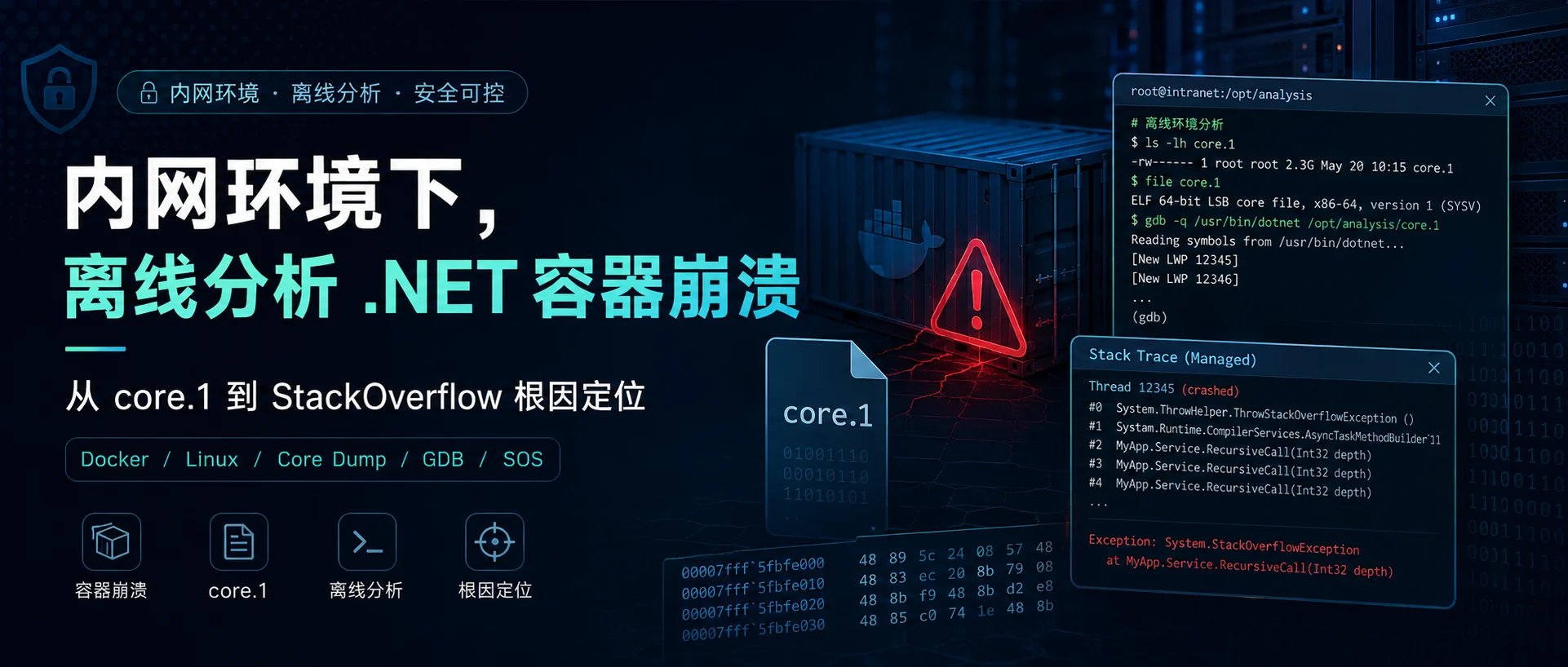
一个 Linux 上的 .NET 容器偶发重启,管理端没有异常,预设的 dump 目录也是空的。唯一的线索就是容器内产生了 core.1 的文件,如果能方便拿到这个 core.1 文件,分析出问题会很容易。

但客户的环境是内网环境,文件也没有办法外发。

最后通过一个离线分析镜像,从 Linux core 的原始栈内存中统计出 582 个重复返回地址,再将地址还原成具体方法,找到了问题。

本文大概涉及下面一些内容:

  1. 怎样区分 OOM、应用崩溃和外部重启。
  2. 怎样在联网机器上构建可带入内网的分析镜像。
  3. 怎样从事故镜像中提取精确的 Runtime、App 和 Rootfs。
  4. 怎样在隔离容器中完成 GDB、dotnet-dump 和 SOS 分析。
  5. clrstack 已经损坏时,怎样扫描原始栈、统计重复地址、解析 ip2md 和 MethodDef token。

1、环境

本文的命令和脚本针对以下环境验证:

  • Linux x 86_64/amd 64;
  • Docker;
  • glibc 发行版,不包含 Alpine/musl;
  • .NET Core 2.1;
  • Linux ELF core dump;
  • 分析机可以运行 Docker,但可以完全断网。

2、先需要确认是哪一种“重启”

“容器重启了”只是现象。同一个容器可能因为应用崩溃、OOM、人工 docker restart、定时任务、主机重启或健康检查而重启。

2.1 、查看当前状态

 1
 2
 3
 4
 5
 6
 7
 8
 9
10
11
12
13
CONTAINER=your-api-container

docker inspect -f '
Name={{.Name}}
Image={{.Config.Image}}
StartedAt={{.State.StartedAt}}
FinishedAt={{.State.FinishedAt}}
ExitCode={{.State.ExitCode}}
OOMKilled={{.State.OOMKilled}}
RestartCount={{.RestartCount}}
MemoryLimit={{.HostConfig.Memory}}
RestartPolicy={{.HostConfig.RestartPolicy.Name}}
' "$CONTAINER"

注意:docker inspect.State 只代表当前或最近一次状态,容器再次启动后,旧的退出现场可能被覆盖。

2.2、用 Docker events 还原当时发生了什么

1
2
3
4
5
6
7
8
CONTAINER=your-api-container
CID="$(docker inspect -f '{{.Id}}' "$CONTAINER")"

docker events \
  --since '2026-01-01T10:00:00+08:00' \
  --until '2026-01-01T10:10:00+08:00' \
  --filter "container=$CID" \
  --format '{{.Time}} action={{.Action}} signal={{index .Actor.Attributes "signal"}} exit={{index .Actor.Attributes "exitCode"}}'

常见信号和退出码:

现象常见含义是否一定代表该原因
ExitCode=137128 + 9,进程最终收到 SIGKILL不一定是 OOM,docker restart 超时后也会发 SIGKILL
ExitCode=139128 + 11,SIGSEGV需要结合应用日志和 core
OOMKilled=trueDocker/cgroup 记录了 OOM kill强证据,但还应查主机内核日志
kill signal=15kill signal=9先 SIGTERM,宽限期过后 SIGKILL通常是外部 stop/restart,不是应用自崩溃

SIGKILL 无法被进程捕获,所以这类事件通常不会留下 managed dump。

故障发生时,服务器的内存占用不高也不能单独排除 OOM。要同时看容器 cgroup 限额、容器峰值和内核记录,MemoryLimit=0 表示 Docker 没设容器上限

最后通过日志查到有 StackOverflow,所以基本可以排除是内存爆了。

1
2
3
4
journalctl -k \
  --since '2026-01-01 10:00:00' \
  --until '2026-01-01 10:10:00' |
grep -Ei 'out of memory|oom-killer|killed process'

2.3、进一步确认 StackOverflow

 1
 2
 3
 4
 5
 6
 7
 8
 9
10
11
12
CONTAINER=your-api-container

docker logs \
  --since '2026-01-01T10:00:00+08:00' \
  --until '2026-01-01T10:10:00+08:00' \
  "$CONTAINER" 2>&1 |
grep -Ei 'StackOverflow|OutOfMemory|terminating|Unhandled|Fatal|SIGSEGV'

docker exec "$CONTAINER" \
  find / -maxdepth 4 -type f \
  \( -name 'core' -o -name 'core.*' -o -name 'coredump.*' \) \
  -exec stat -c 'file=%n bytes=%s mtime=%y inode=%i' {} \; 2>/dev/null

如果同一时间点同时出现:

1
2
3
4
Process is terminating due to StackOverflowException.
Docker die / exit 139
core 文件修改时间与崩溃时间一致
restart policy 随后将容器拉起

2.4、为什么配置的 dump 目录是空的,其他目录却有 core.1

这往往是两套机制:

  • COMPlus_DbgEnableMiniDump 等变量依赖 .NET Runtime 在致命错误路径中调用 createdump。
  • core.1 可能是 Linux 内核根据 kernel.core_patternulimit -c 和进程工作目录生成的 ELF core。

StackOverflow 发生时线程栈已接近耗尽,老版 Runtime 不一定能完整走完 managed dump 路径。因此,预设 dump 目录为空,不能推导出“dump 配置没有生效”。

3、为什么内网分析需要一个专用镜像

只有 core 通常不够。对 Linux .NET Core dump 做可靠分析,至少需要:

  • GDB、filereadelfeu-readelf 等原生工具;
  • 能运行的 dotnet-dump 和 SOS;
  • 事故时的精确 dotnetlibcoreclr.solibmscordaccore.so
  • 事故镜像中的应用 DLL/PDB;
  • 尽可能精确的 glibc、libpthread、libstdc++ 等 Rootfs 原生库。

在生产容器里 yum install gdb 或安装 SDK 会改变现场,没有外网也无法直接直接安装,离线装也非常的麻烦,而且也不符合客户的要求。

更好的做法是:

1
2
3
4
5
联网机:构建、验证、导出分析镜像
                   ↓ 移动介质/受控传输
内网测试机:导入镜像,只读挂载 core 和事故二进制
输出小型文本报告,审查、脱敏后再分享

4、在联网机器上构建离线分析镜像

4.1、准备目录

1
2
mkdir -p core-analyzer
cd core-analyzer

最终目录结构如下:

 1
 2
 3
 4
 5
 6
 7
 8
 9
10
11
12
13
core-analyzer/
├── Dockerfile
├── prepare-analyzer.sh
├── analyze-core-offline.sh
├── run-core-analysis.sh
├── extract-exact-image.sh
├── analyze-stackoverflow-raw-stack.sh
├── resolve-dotnet-method-token.py
├── vendor/
│   ├── dotnet-runtime-2.1.30-linux-x64.tar.gz
│   └── dotnet-dump.3.0.47001.nupkg
└── rootfs/
    └── opt/core-tools/...

4.2、 prepare-analyzer.sh:下载和解包离线工具

保存下面的完整脚本为 prepare-analyzer.sh

 1
 2
 3
 4
 5
 6
 7
 8
 9
10
11
12
13
14
15
16
17
18
19
20
21
22
23
24
25
26
27
28
29
30
31
32
33
34
35
36
37
38
39
40
41
42
43
44
45
46
47
48
49
50
51
52
53
54
55
56
57
58
59
60
61
62
63
64
65
66
67
68
69
70
71
72
73
74
75
76
77
78
79
80
81
82
83
84
85
86
87
88
#!/usr/bin/env bash
set -euo pipefail

script_dir="$(cd "$(dirname "${BASH_SOURCE[0]}")" && pwd)"
vendor_dir="$script_dir/vendor"
rootfs_dir="$script_dir/rootfs"
package_dir="$rootfs_dir/opt/core-tools/dotnet-dump"
bin_dir="$rootfs_dir/opt/core-tools/bin"

runtime_name="dotnet-runtime-2.1.30-linux-x64.tar.gz"
dump_name="dotnet-dump.3.0.47001.nupkg"

runtime_url="https://dotnetcli.azureedge.net/dotnet/Runtime/2.1.30/$runtime_name"
dump_url="https://api.nuget.org/v3-flatcontainer/dotnet-dump/3.0.47001/$dump_name"

runtime_sha256="24222e3bdd0d65eba02fc87f928d5912831b3dc6dd7b833d503d496f7bcb7ab2"
dump_sha256="664ab4700c29c0717dbe01eb12b751330e56837ca44ecb0d1e47ffd39b4ec1fe"

for tool in curl unzip sha256sum; do
  if ! command -v "$tool" >/dev/null 2>&1; then
    echo "ERROR: required tool is missing: $tool" >&2
    exit 2
  fi
done

mkdir -p "$vendor_dir" "$package_dir" "$bin_dir"

download() {
  local url="$1"
  local output="$2"
  if [[ ! -s "$output" ]]; then
    curl -fL --retry 3 --connect-timeout 20 "$url" -o "$output"
  fi
}

verify_file() {
  local expected="$1"
  local file="$2"
  local actual
  actual="$(sha256sum "$file" | awk '{print $1}')"
  if [[ "$actual" != "$expected" ]]; then
    echo "ERROR: SHA-256 mismatch: $file" >&2
    echo "expected=$expected" >&2
    echo "actual=$actual" >&2
    exit 3
  fi
}

download "$runtime_url" "$vendor_dir/$runtime_name"
download "$dump_url" "$vendor_dir/$dump_name"

verify_file "$runtime_sha256" "$vendor_dir/$runtime_name"
verify_file "$dump_sha256" "$vendor_dir/$dump_name"

tmp_dir="$(mktemp -d)"
cleanup() {
  rm -rf "$tmp_dir"
}
trap cleanup EXIT

unzip -q -o "$vendor_dir/$dump_name" -d "$tmp_dir/dotnet-dump"

source_dir="$tmp_dir/dotnet-dump/tools/netcoreapp2.1/any"
if [[ ! -f "$source_dir/dotnet-dump.dll" ]]; then
  echo "ERROR: dotnet-dump.dll was not found in the NuGet package" >&2
  exit 4
fi

rm -rf "$package_dir"
mkdir -p "$package_dir"
cp -a "$source_dir/." "$package_dir/"

cat >"$bin_dir/dotnet-dump" <<'WRAPPER'
#!/usr/bin/env bash
set -e
exec /opt/dotnet/dotnet \
  /opt/core-tools/dotnet-dump/dotnet-dump.dll "$@"
WRAPPER

chmod 0755 "$bin_dir/dotnet-dump"

test -f "$package_dir/linux-x64/libsos.so"
test -f "$package_dir/linux-x64/libsosplugin.so"

echo "Offline analyzer dependencies are ready."
echo "Runtime: $vendor_dir/$runtime_name"
echo "dotnet-dump: $vendor_dir/$dump_name"
echo "Image rootfs: $rootfs_dir"

执行:

1
2
chmod +x prepare-analyzer.sh
./prepare-analyzer.sh

这一步必须在联网机器上运行。

4.3、 完整 Dockerfile

将下面的内容保存为 Dockerfile

 1
 2
 3
 4
 5
 6
 7
 8
 9
10
11
12
13
14
15
16
17
18
19
20
21
22
23
24
25
26
27
28
29
30
31
32
33
34
35
36
37
38
39
40
41
42
FROM quay.io/centos/centos:7@sha256:e4ca2ed0202e76be184e75fb26d14bf974193579039d5573fb2348664deef76e

RUN sed -i \
      -e 's|^mirrorlist=|#mirrorlist=|g' \
      -e 's|^#baseurl=http://mirror.centos.org|baseurl=https://vault.centos.org|g' \
      /etc/yum.repos.d/CentOS-*.repo \
    && yum -y install \
      bash binutils elfutils file findutils gdb gzip python \
      procps-ng tar unzip util-linux which \
      ca-certificates curl krb5-libs libcurl libicu libunwind \
      libuuid openssl-libs zlib \
    && yum clean all \
    && rm -rf /var/cache/yum

COPY vendor/dotnet-runtime-2.1.30-linux-x64.tar.gz \
  /tmp/dotnet-runtime.tar.gz

RUN mkdir -p /opt/dotnet \
    && tar -xzf /tmp/dotnet-runtime.tar.gz -C /opt/dotnet \
    && rm -f /tmp/dotnet-runtime.tar.gz \
    && /opt/dotnet/dotnet --info

COPY rootfs/ /
COPY analyze-core-offline.sh /opt/core-tools/bin/analyze-core-offline

RUN chmod 0755 \
      /opt/core-tools/bin/analyze-core-offline \
      /opt/core-tools/bin/dotnet-dump \
    && /opt/core-tools/bin/dotnet-dump --version \
    && gdb --version | head -n 1 \
    && file --version | head -n 1 \
    && readelf --version | head -n 1 \
    && python --version

ENV PATH="/opt/core-tools/bin:/opt/dotnet:${PATH}" \
    DOTNET_ROOT="/opt/dotnet" \
    DOTNET_CLI_TELEMETRY_OPTOUT="1" \
    DOTNET_SKIP_FIRST_TIME_EXPERIENCE="1" \
    HOME="/tmp"

WORKDIR /work
ENTRYPOINT ["/opt/core-tools/bin/analyze-core-offline"]

这个镜像中的 .NET Core 2.1.30 是“工具运行时”,它用来启动 dotnet-dump 3.0.47001。它不代替事故现场的 Runtime。分析 core 时,仍要额外挂载事故镜像里的精确 Runtime。

4.4、 通用分析脚本 analyze-core-offline.sh

它的职责是做第一轮“广谱检查”:确认 core 身份,采集原生线程栈,再尝试提取托管线程、异常和 GC 堆摘要。它还通过 timeoutulimit 限制执行时间与报告大小,避免损坏的 core 把日志写到十几 GB。这是在反反复复尝试很多次后得出的经验。

把下面内容保存为 analyze-core-offline.sh

  1
  2
  3
  4
  5
  6
  7
  8
  9
 10
 11
 12
 13
 14
 15
 16
 17
 18
 19
 20
 21
 22
 23
 24
 25
 26
 27
 28
 29
 30
 31
 32
 33
 34
 35
 36
 37
 38
 39
 40
 41
 42
 43
 44
 45
 46
 47
 48
 49
 50
 51
 52
 53
 54
 55
 56
 57
 58
 59
 60
 61
 62
 63
 64
 65
 66
 67
 68
 69
 70
 71
 72
 73
 74
 75
 76
 77
 78
 79
 80
 81
 82
 83
 84
 85
 86
 87
 88
 89
 90
 91
 92
 93
 94
 95
 96
 97
 98
 99
100
101
102
103
104
105
106
107
108
109
110
111
112
113
114
115
116
117
118
#!/usr/bin/env bash
set -uo pipefail

usage() {
  cat >&2 <<'USAGE'
Usage:
  analyze-core-offline CORE OUTPUT_DIR RUNTIME_ROOT APP_DIR ROOTFS_DIR
USAGE
  exit 2
}

[ "$#" -eq 5 ] || usage

core_file=$1
output_dir=$2
runtime_root=$3
app_dir=$4
rootfs_dir=$5

[ -f "$core_file" ] || { echo "Core not found: $core_file" >&2; exit 1; }
[ -d "$runtime_root" ] || { echo "Runtime not found: $runtime_root" >&2; exit 1; }
[ -d "$app_dir" ] || { echo "App not found: $app_dir" >&2; exit 1; }
[ -d "$rootfs_dir" ] || { echo "Rootfs not found: $rootfs_dir" >&2; exit 1; }

mkdir -p "$output_dir"

target_dotnet=$(find "$runtime_root" -type f -name dotnet -perm -0100 | head -n 1)
runtime_version_dir=$(find "$runtime_root" -type f -name libcoreclr.so \
  -printf '%h\n' | head -n 1)
dac_file=$(find "$runtime_root" -type f -name libmscordaccore.so | head -n 1)

[ -n "$target_dotnet" ] || { echo "dotnet not found under $runtime_root" >&2; exit 1; }
[ -n "$runtime_version_dir" ] || { echo "libcoreclr.so not found" >&2; exit 1; }
[ -n "$dac_file" ] || { echo "libmscordaccore.so not found" >&2; exit 1; }

runtime_version=$(basename "$runtime_version_dir")
summary="$output_dir/00-summary.txt"
metadata="$output_dir/01-core-metadata.txt"
native_report="$output_dir/02-native-gdb.txt"
managed_report="$output_dir/03-managed-dotnet-dump.txt"

{
  echo "CollectedAt=$(date -u +%Y-%m-%dT%H:%M:%S%z)"
  echo "CoreFile=$core_file"
  echo "RuntimeRoot=$runtime_root"
  echo "RuntimeVersionDir=$runtime_version_dir"
  echo "RuntimeVersion=$runtime_version"
  echo "AppDir=$app_dir"
  echo "RootfsDir=$rootfs_dir"
  echo "TargetDotnet=$target_dotnet"
  echo "DAC=$dac_file"
} >"$summary"

{
  echo '===== FILE ====='
  file "$core_file"
  echo
  echo '===== STAT ====='
  stat "$core_file"
  echo
  echo '===== SHA-256 ====='
  sha256sum "$core_file"
  echo
  echo '===== ELF NOTES ====='
  readelf -n "$core_file"
} >"$metadata" 2>&1

solib_path="$runtime_version_dir:$app_dir"
for candidate in \
  "$rootfs_dir/lib64" \
  "$rootfs_dir/lib/x86_64-linux-gnu" \
  "$rootfs_dir/usr/lib64" \
  "$rootfs_dir/usr/lib/x86_64-linux-gnu"; do
  [ -d "$candidate" ] && solib_path="$solib_path:$candidate"
done

set +e
(
  ulimit -f 204800
  timeout -k 10s 15m gdb -q -batch \
    -ex 'set pagination off' \
    -ex 'set auto-load safe-path /' \
    -ex "set sysroot $rootfs_dir" \
    -ex "set solib-search-path $solib_path" \
    -ex "file $target_dotnet" \
    -ex "core-file $core_file" \
    -ex 'info files' \
    -ex 'info sharedlibrary' \
    -ex 'info threads' \
    -ex 'thread apply all bt 64'
) >"$native_report" 2>&1
gdb_status=$?

(
  ulimit -f 204800
  timeout -k 10s 15m dotnet-dump analyze "$core_file" <<COMMANDS
clrthreads
clrstack -all
pe
eeheap -gc
dumpheap -stat
exit
COMMANDS
) >"$managed_report" 2>&1
managed_status=$?
set -e

{
  echo "GdbExitStatus=$gdb_status"
  echo "ManagedExitStatus=$managed_status"
  echo
  echo 'GeneratedFiles:'
  find "$output_dir" -maxdepth 1 -type f -printf '%f %s bytes\n' | sort
} >>"$summary"

echo "Analysis completed: $output_dir"
echo "Review reports before sharing; a core can contain secrets and customer data."
exit 0

这里使用的是容器内统一路径。后面运行脚本会把宿主机上的 core、Runtime、App、Rootfs 分别只读挂载到这些位置。

4.5、 构建、验证和导出

此时目录中的四个文件已经齐全,可以执行:

 1
 2
 3
 4
 5
 6
 7
 8
 9
10
11
12
chmod +x prepare-analyzer.sh analyze-core-offline.sh
./prepare-analyzer.sh

docker build --platform linux/amd64 \
  -t core-analyzer:centos7-x64 .

docker run --rm --entrypoint /bin/sh \
  core-analyzer:centos7-x64 -c \
  'uname -m; gdb --version | head -n 1; dotnet-dump --version; python --version'

docker save core-analyzer:centos7-x64 | gzip > core-analyzer.tar.gz
sha256sum core-analyzer.tar.gz > SHA256SUMS

Dockerfileyum 阶段需要联网,内网机器只加载已经构建好的 tar 包,不在内网重新 build。

5、 内网排查

上面所做的事情都是在我本机电脑上做的准备,把相关的文件拷贝到内网,就可以开始排查了。

5.1、 导入分析镜像

core-analyzer.tar.gzSHA256SUMS 拷贝到内网机器:

1
2
3
4
5
sha256sum -c SHA256SUMS
gzip -dc core-analyzer.tar.gz | docker load

docker image inspect core-analyzer:centos7-x64 \
  --format 'OS={{.Os}} Arch={{.Architecture}} ID={{.Id}}'

5.2、为什么必须是“精确”镜像

分析 .NET core 需要四个内容:

  • core 文件;
  • 生成 core 的那份 Runtime,特别是 libcoreclr.solibmscordaccore.so,这个可以从出问题;
  • 当时的 App DLL/PDB;
  • 当时镜像的 glibc、libpthread、libstdc++ 等原生库。

只是 tag 同名并不够,tag 可以被重新 push。应优先记录 Image ID 或 digest,并对关键文件做 SHA-256。

5.3、完整提取脚本 extract-exact-image.sh

这个脚本只创建一个停止状态的容器,不会启动业务服务。

 1
 2
 3
 4
 5
 6
 7
 8
 9
10
11
12
13
14
15
16
17
18
19
20
21
22
23
24
25
26
27
28
29
30
31
32
33
34
35
36
37
38
39
40
41
42
43
44
45
46
47
48
49
50
51
52
53
54
55
56
57
58
59
60
61
#!/usr/bin/env bash
set -euo pipefail

usage() {
  cat >&2 <<'USAGE'
Usage:
  extract-exact-image.sh IMAGE OUTPUT_DIR [DOTNET_ROOT_IN_IMAGE] [APP_DIR_IN_IMAGE]

Example:
  ./extract-exact-image.sh app-api@sha256:... ./exact /usr/share/dotnet /app
USAGE
  exit 2
}

[ "$#" -ge 2 ] && [ "$#" -le 4 ] || usage

image=$1
output_dir=$2
dotnet_path=${3:-/usr/share/dotnet}
app_path=${4:-/app}

docker image inspect "$image" >/dev/null
if [ -d "$output_dir" ] && find "$output_dir" -mindepth 1 -print -quit | grep -q .; then
  echo "Output directory must be empty: $output_dir" >&2
  exit 3
fi
mkdir -p "$output_dir/runtime" "$output_dir/app" "$output_dir/rootfs"

container_id=$(docker create "$image")
cleanup() {
  docker rm -f "$container_id" >/dev/null 2>&1 || true
}
trap cleanup EXIT INT TERM

docker cp "$container_id:$dotnet_path/." "$output_dir/runtime/"
docker cp "$container_id:$app_path/." "$output_dir/app/"
docker export "$container_id" | tar -xf - -C "$output_dir/rootfs"

{
  echo "CollectedAt=$(date -u +%Y-%m-%dT%H:%M:%S%z)"
  echo "ImageReference=$image"
  echo "ImageID=$(docker image inspect -f '{{.Id}}' "$image")"
  echo "RepoDigests=$(docker image inspect -f '{{json .RepoDigests}}' "$image")"
  echo "ImageCreated=$(docker image inspect -f '{{.Created}}' "$image")"
  echo "Architecture=$(docker image inspect -f '{{.Architecture}}' "$image")"
  echo "DotnetPath=$dotnet_path"
  echo "AppPath=$app_path"
  echo "DeclaredVolumes=$(docker image inspect -f '{{json .Config.Volumes}}' "$image")"
} >"$output_dir/IMAGE-MANIFEST.txt"

find "$output_dir/runtime" "$output_dir/app" -type f -print0 \
  | sort -z \
  | xargs -0 sha256sum >"$output_dir/FILE-SHA256SUMS"

find "$output_dir/runtime" -type f -name dotnet -print -quit | grep -q .
find "$output_dir/runtime" -type f -name libcoreclr.so -print -quit | grep -q .
find "$output_dir/runtime" -type f -name libmscordaccore.so -print -quit | grep -q .
find "$output_dir/app" -type f -name '*.dll' -print -quit | grep -q .

echo "Exact image files extracted to: $output_dir"
echo "Keep IMAGE-MANIFEST.txt and FILE-SHA256SUMS with the reports."

使用:

 1
 2
 3
 4
 5
 6
 7
 8
 9
10
11
chmod +x extract-exact-image.sh

./extract-exact-image.sh \
  'your-api-image@sha256:replace-with-real-digest' \
  /data/core-case/exact \
  /usr/share/dotnet \
  /app

cat /data/core-case/exact/IMAGE-MANIFEST.txt
find /data/core-case/exact/runtime \
  \( -name libcoreclr.so -o -name libmscordaccore.so \) -print

如果镜像声明了 VOLUME /appdocker export 不会包含卷中的内容,所以脚本额外用 docker cp 提取 App。如果业务启动后还会对卷中 DLL 做替换,就要在授权前提下从事故容器复制该目录,并单独保存哈希。

6、第一轮通用 core 分析

我是在生产环境的服务器上拿到所有需要的内容后,拷贝到单独的一台测试服务器进行分析,避免对生产系统造成影响。

6.1、宿主机启动脚本 run-core-analysis.sh

 1
 2
 3
 4
 5
 6
 7
 8
 9
10
11
12
13
14
15
16
17
18
19
20
21
22
23
24
25
26
27
28
29
30
31
32
33
34
#!/usr/bin/env bash
set -euo pipefail

if [ "$#" -lt 4 ] || [ "$#" -gt 5 ]; then
  echo "Usage: $0 CORE RUNTIME_ROOT APP_DIR ROOTFS_DIR [OUTPUT_DIR]" >&2
  exit 2
fi

core_file=$(cd "$(dirname "$1")" && pwd)/$(basename "$1")
runtime_root=$(cd "$2" && pwd)
app_dir=$(cd "$3" && pwd)
rootfs_dir=$(cd "$4" && pwd)
output_dir=${5:-"$PWD/core-analysis-$(date +%Y%m%d-%H%M%S)"}
mkdir -p "$output_dir"
output_dir=$(cd "$output_dir" && pwd)

docker run --rm \
  --platform linux/amd64 \
  --network none \
  --read-only \
  --log-driver none \
  --cap-drop ALL \
  --security-opt no-new-privileges \
  --user "$(id -u):$(id -g)" \
  --tmpfs /tmp:rw,nosuid,nodev,noexec,size=256m \
  -v "$core_file:/work/core.1:ro" \
  -v "$runtime_root:/usr/share/dotnet:ro" \
  -v "$app_dir:/app:ro" \
  -v "$rootfs_dir:/target-rootfs:ro" \
  -v "$output_dir:/work/output:rw" \
  core-analyzer:centos7-x64 \
  /work/core.1 /work/output /usr/share/dotnet /app /target-rootfs

echo "Reports: $output_dir"

执行:

1
2
3
4
5
6
7
8
chmod +x run-core-analysis.sh

./run-core-analysis.sh \
  /data/core-case/core.1 \
  /data/core-case/exact/runtime \
  /data/core-case/exact/app \
  /data/core-case/exact/rootfs \
  /data/core-case/first-pass

建议按以下顺序阅读:

1
2
3
4
5
6
cat /data/core-case/first-pass/00-summary.txt
cat /data/core-case/first-pass/01-core-metadata.txt
grep -nE 'Program terminated|Current thread|signal|#0 |#1 |#2 ' \
  /data/core-case/first-pass/02-native-gdb.txt | head -n 100
sed -n '1,240p' \
  /data/core-case/first-pass/03-managed-dotnet-dump.txt

6.2、常见错误怎么读

输出通常意味着什么处理
wrong library or version mismatchRootfs 或共享库不是事故镜像的那份重新提取精确 Rootfs,不要使用分析机自带的 libc
Can not load or initialize libmscordaccore.soDAC 与 core 中 Runtime 不匹配,或路径没指对核对 libcoreclr.solibmscordaccore.so 是否来自同一 Runtime 目录
Failed to request Module data from assemblyApp DLL 缺失、版本不符,或托管栈已损坏先比对 DLL 哈希;若精确一致,转原始栈扫描
方法后显示 Unknown元数据/PDB 不足,或 SOS 只恢复了模块可用 ip2md 取 MethodDef token,再离线解析 DLL
Unrecognized command 'setclrpath'所用的老版 dotnet-dump 不支持该交互命令不要继续重试命令;把精确 Runtime 挂载到 core 记录的原路径
SOS 反复找不到目标 RuntimeRuntime 没挂载到 core 记录的原路径本文示例将精确 Runtime 挂载到 /usr/share/dotnet;如事故镜像路径不同,同步修改挂载目标
托管栈只剩一两帧StackOverflow 可能已覆盖常规展开所需的栈链不是 core 无用,转入下一节扫描信号线程原始栈

到这里,如果 clrstack -all 已经给出了清晰的重复调用序列,就可以直接转向代码。如果只看到 abort / SIGSEGVArrayCopy 和大量 Unknown,则需要 StackOverflow 专项方法。

7、StackOverflow 专项分析:托管栈损坏时扫描原始栈

7.1 先确认信号线程和扫描起点

StackOverflow 终止过程在 Linux/.NET Core 2.1 上可能最终表现为 abortSIGSEGV。先在第一轮 GDB 报告中找到信号线程的 LWP 和原生栈:

1
2
grep -nE 'Program terminated|Current thread|LWP|#0 |#1 |#2 |#3 |#4 ' \
  /data/core-case/first-pass/02-native-gdb.txt | head -n 120

典型原生栈可能是:

1
2
3
4
5
#0  abort
#1  PROCAbort
#2  sigsegv_handler
#3  <signal handler called>
#4  ArrayNative::ArrayCopy

这里的 frame 4 只是一个真实示例,不是通用常量。不同 Runtime 补丁、不同崩溃阶段都可以让有效业务栈帧出现在 frame 3、5 或其他位置。应从 abort 向下找第一个能正常读取 $rsp 的崩溃前栈帧,并把帧号作为脚本参数。

7.2、完整脚本 analyze-stackoverflow-raw-stack.sh

这个脚本做七件事:

  1. 用 GDB 定位信号线程;
  2. 从指定栈帧的 $rsp 开始只扫描 256 KiB;
  3. 统计重复的 8 字节值;
  4. 最多保留 512 个候选地址;
  5. 通过 clrthreads 把 LWP/OSID 映射到 SOS 线程;
  6. 对候选地址执行 ip2md,取出 MethodDef token;
  7. 在分析镜像内用 Python 标准库解析精确 DLL,得到完整方法名。

保存为 analyze-stackoverflow-raw-stack.sh

  1
  2
  3
  4
  5
  6
  7
  8
  9
 10
 11
 12
 13
 14
 15
 16
 17
 18
 19
 20
 21
 22
 23
 24
 25
 26
 27
 28
 29
 30
 31
 32
 33
 34
 35
 36
 37
 38
 39
 40
 41
 42
 43
 44
 45
 46
 47
 48
 49
 50
 51
 52
 53
 54
 55
 56
 57
 58
 59
 60
 61
 62
 63
 64
 65
 66
 67
 68
 69
 70
 71
 72
 73
 74
 75
 76
 77
 78
 79
 80
 81
 82
 83
 84
 85
 86
 87
 88
 89
 90
 91
 92
 93
 94
 95
 96
 97
 98
 99
100
101
102
103
104
105
106
107
108
109
110
111
112
113
114
115
116
117
118
119
120
121
122
123
124
125
126
127
128
129
130
131
132
133
134
135
136
137
138
139
140
141
142
143
144
145
146
147
148
149
150
151
152
153
154
155
156
157
158
159
160
161
162
163
164
165
166
167
168
169
170
171
172
173
174
175
176
177
178
179
180
181
182
183
184
185
186
187
188
189
190
191
192
193
194
195
196
197
198
199
200
201
202
203
204
205
206
207
208
209
210
211
212
213
214
215
216
217
218
219
220
221
222
223
224
225
226
227
228
229
230
231
232
233
234
235
236
237
238
239
240
241
242
243
244
245
246
247
248
249
250
251
252
253
254
255
256
257
258
259
260
261
262
263
264
265
266
267
268
269
270
271
272
273
274
275
276
277
278
279
280
281
282
283
284
285
286
287
288
289
290
291
292
293
294
295
296
297
298
299
300
301
302
303
304
305
306
307
308
309
310
311
312
313
314
315
316
317
318
319
320
321
322
323
324
325
326
327
328
329
330
331
332
333
334
335
336
337
338
339
340
#!/usr/bin/env bash
set -uo pipefail

usage() {
  cat >&2 <<'USAGE'
Usage:
  analyze-stackoverflow-raw-stack.sh \
    CORE RUNTIME_ROOT APP_DIR ROOTFS_DIR TARGET_ASSEMBLY \
    [OUTPUT_DIR] [OSID_HEX] [GDB_FRAME]

Example:
  ./analyze-stackoverflow-raw-stack.sh \
    /data/core-case/core.1 \
    /data/core-case/exact/runtime \
    /data/core-case/exact/app \
    /data/core-case/exact/rootfs \
    Business.Engine.dll \
    /data/core-case/stackoverflow \
    34d 4
USAGE
  exit 2
}

[ "$#" -ge 5 ] && [ "$#" -le 8 ] || usage

core_file=$1
runtime_root=$2
app_dir=$3
rootfs_dir=$4
target_assembly=$(basename "$5")
output_dir=${6:-"$PWD/stackoverflow-$(date +%Y%m%d-%H%M%S)"}
target_osid=${7:-}
scan_frame=${8:-4}

image=${CORE_ANALYZER_IMAGE:-core-analyzer:centos7-x64}
target_dotnet_root=/usr/share/dotnet
stack_scan_kib=${STACK_SCAN_KIB:-256}
max_candidates=${MAX_CANDIDATES:-512}
script_dir=$(cd "$(dirname "${BASH_SOURCE[0]}")" && pwd)
token_resolver="$script_dir/resolve-dotnet-method-token.py"

command -v docker >/dev/null 2>&1 || { echo 'docker is missing' >&2; exit 3; }
[ -r "$core_file" ] || { echo "Core is not readable: $core_file" >&2; exit 4; }
[ -d "$runtime_root" ] || { echo "Runtime is missing: $runtime_root" >&2; exit 4; }
[ -d "$app_dir" ] || { echo "App is missing: $app_dir" >&2; exit 4; }
[ -d "$rootfs_dir" ] || { echo "Rootfs is missing: $rootfs_dir" >&2; exit 4; }
[ -f "$app_dir/$target_assembly" ] || {
  echo "Assembly is missing: $app_dir/$target_assembly" >&2; exit 4;
}
[ -f "$token_resolver" ] || { echo "Resolver is missing: $token_resolver" >&2; exit 4; }
docker image inspect "$image" >/dev/null 2>&1 || {
  echo "Analyzer image is not loaded: $image" >&2; exit 5;
}

case "$scan_frame" in
  ''|*[!0-9]*) echo 'GDB_FRAME must be a non-negative integer' >&2; exit 6 ;;
esac
case "$stack_scan_kib" in
  ''|*[!0-9]*) echo 'STACK_SCAN_KIB must be an integer' >&2; exit 6 ;;
esac
[ "$stack_scan_kib" -ge 64 ] && [ "$stack_scan_kib" -le 1024 ] || {
  echo 'STACK_SCAN_KIB must be between 64 and 1024' >&2; exit 6;
}

target_osid=$(printf '%s' "$target_osid" | tr '[:upper:]' '[:lower:]')
target_osid=${target_osid#0x}
if [ -n "$target_osid" ] && ! printf '%s' "$target_osid" | grep -Eq '^[0-9a-f]+$'; then
  echo 'OSID must be hexadecimal, for example 34d or 0x34d' >&2
  exit 6
fi

core_file=$(readlink -f "$core_file")
runtime_root=$(readlink -f "$runtime_root")
app_dir=$(readlink -f "$app_dir")
rootfs_dir=$(readlink -f "$rootfs_dir")
mkdir -p "$output_dir"
output_dir=$(readlink -f "$output_dir")

dac_file=$(find "$runtime_root" -type f -name libmscordaccore.so \
  -print | sort -V | tail -n 1)
[ -n "$dac_file" ] || { echo 'libmscordaccore.so was not found' >&2; exit 7; }
runtime_version_dir=$(dirname "$dac_file")
runtime_version=$(basename "$runtime_version_dir")
[ -f "$runtime_version_dir/libcoreclr.so" ] || {
  echo "Matching libcoreclr.so is missing: $runtime_version_dir" >&2; exit 7;
}

if [ -f "$runtime_root/dotnet" ]; then
  exact_dotnet="$runtime_root/dotnet"
else
  exact_dotnet=$(find "$runtime_root" -maxdepth 3 -type f -name dotnet \
    -print | head -n 1)
fi
[ -n "$exact_dotnet" ] || { echo 'Exact dotnet host was not found' >&2; exit 7; }

summary_file="$output_dir/00-summary.txt"
native_file="$output_dir/01-native-stack-scan.txt"
frequency_file="$output_dir/02-repeated-pointers.txt"
threads_file="$output_dir/03-clrthreads.txt"
resolved_file="$output_dir/04-ip2md-resolved.txt"
key_file="$output_dir/05-key-methods.txt"
token_file="$output_dir/06-token-methods.txt"
candidate_file="$output_dir/.candidate-ips.txt"
token_candidate_file="$output_dir/.candidate-tokens.txt"
active_container=''

cleanup() {
  if [ -n "$active_container" ]; then
    docker rm -f "$active_container" >/dev/null 2>&1 || true
  fi
  rm -f "$candidate_file" "$token_candidate_file"
}
trap cleanup EXIT INT TERM

solib_path="$target_dotnet_root/shared/Microsoft.NETCore.App/$runtime_version"
solib_path="$solib_path:/target-rootfs/lib/x86_64-linux-gnu"
solib_path="$solib_path:/target-rootfs/usr/lib/x86_64-linux-gnu"
solib_path="$solib_path:/target-rootfs/lib64:/target-rootfs/usr/lib64"
solib_path="$solib_path:/app:/app/runtimes/linux/native:/app/runtimes/linux-x64/native"

scan_words=$((stack_scan_kib * 1024 / 8))
active_container="so-gdb-$$"
set +e
(
  ulimit -f 16384 2>/dev/null || true
  timeout -k 10s 10m docker run --rm \
    --name "$active_container" \
    --platform linux/amd64 \
    --log-driver none \
    --network none \
    --read-only \
    --cap-drop ALL \
    --security-opt no-new-privileges \
    --tmpfs /tmp:rw,nosuid,nodev,noexec,size=128m \
    --user "$(id -u):$(id -g)" \
    -e HOME=/tmp \
    -v "$core_file:/work/core.1:ro" \
    -v "$exact_dotnet:$target_dotnet_root/dotnet:ro" \
    -v "$runtime_version_dir:$target_dotnet_root/shared/Microsoft.NETCore.App/$runtime_version:ro" \
    -v "$app_dir:/app:ro" \
    -v "$rootfs_dir:/target-rootfs:ro" \
    --entrypoint /usr/bin/gdb \
    "$image" --batch --quiet \
    -ex 'set pagination off' \
    -ex 'set confirm off' \
    -ex 'set print thread-events off' \
    -ex 'set auto-load safe-path /' \
    -ex 'set sysroot /target-rootfs' \
    -ex "set solib-search-path $solib_path" \
    -ex "file $target_dotnet_root/dotnet" \
    -ex 'core-file /work/core.1' \
    -ex 'printf "===== CRASH THREAD =====\n"' \
    -ex 'thread' \
    -ex 'bt 32' \
    -ex "printf \"===== SCAN FRAME $scan_frame =====\\n\"" \
    -ex "frame $scan_frame" \
    -ex 'info registers' \
    -ex "printf \"===== RAW STACK ${stack_scan_kib}K =====\\n\"" \
    -ex "x/${scan_words}gx \$rsp"
) >"$native_file" 2>&1
gdb_status=$?
set -e
docker rm -f "$active_container" >/dev/null 2>&1 || true
active_container=''

signal_lwp_decimal=$(sed -nE 's/.*\(LWP ([0-9]+)\).*/\1/p' \
  "$native_file" | head -n 1)
if [ -z "$target_osid" ] && [ -n "$signal_lwp_decimal" ]; then
  target_osid=$(printf '%x' "$((10#$signal_lwp_decimal))")
fi
[ -n "$target_osid" ] || {
  echo "Could not detect signal LWP; inspect $native_file" >&2; exit 8;
}

grep -aoE '0x[0-9A-Fa-f]{8,16}' "$native_file" \
  | tr '[:upper:]' '[:lower:]' \
  | sort \
  | uniq -c \
  | sort -k1,1nr -k2,2 \
  | awk '$1 >= 2 { print }' \
  | head -n "$max_candidates" >"$frequency_file" || true

awk '{print $2}' "$frequency_file" >"$candidate_file"
if [ ! -s "$candidate_file" ]; then
  grep -aoE '0x[0-9A-Fa-f]{8,16}' "$native_file" \
    | tr '[:upper:]' '[:lower:]' \
    | sort -u \
    | head -n 256 >"$candidate_file" || true
fi

run_dotnet_dump() {
  destination=$1
  stage=$2
  duration=$3
  commands=$4
  active_container="so-${stage}-$$"
  set +e
  (
    ulimit -f 16384 2>/dev/null || true
    printf '%s' "$commands" | timeout -k 10s "$duration" docker run --rm -i \
      --name "$active_container" \
      --platform linux/amd64 \
      --log-driver none \
      --network none \
      --read-only \
      --cap-drop ALL \
      --security-opt no-new-privileges \
      --tmpfs /tmp:rw,nosuid,nodev,noexec,size=128m \
      --user "$(id -u):$(id -g)" \
      -e HOME=/tmp \
      -v "$core_file:/work/core.1:ro" \
      -v "$exact_dotnet:$target_dotnet_root/dotnet:ro" \
      -v "$runtime_version_dir:$target_dotnet_root/shared/Microsoft.NETCore.App/$runtime_version:ro" \
      -v "$app_dir:/app:ro" \
      --entrypoint /opt/core-tools/bin/dotnet-dump \
      "$image" analyze /work/core.1
  ) >"$destination" 2>&1
  status=$?
  set -e
  docker rm -f "$active_container" >/dev/null 2>&1 || true
  active_container=''
  return "$status"
}

run_dotnet_dump "$threads_file" threads 5m $'clrthreads\nexit\n'
threads_status=$?

target_thread_line=$(awk -v wanted="$target_osid" '
  BEGIN { wanted = tolower(wanted) }
  $1 ~ /^[0-9]+$/ && tolower($3) == wanted { print; exit }
' "$threads_file")
debugger_thread_id=$(printf '%s\n' "$target_thread_line" | awk '{print $1}')

commands=''
if [ -n "$debugger_thread_id" ]; then
  commands="setthread $debugger_thread_id"$'\n''clrstack -a'$'\n'
fi
while IFS= read -r ip; do
  [ -n "$ip" ] && commands="${commands}ip2md $ip"$'\n'
done <"$candidate_file"
commands="${commands}exit"$'\n'

run_dotnet_dump "$resolved_file" resolve 15m "$commands"
resolve_status=$?

awk -v wanted="/app/$target_assembly!" '
  BEGIN { wanted = tolower(wanted); matched = 0 }
  /^> ip2md/ { matched = 0 }
  {
    line = tolower($0)
    if (index(line, wanted) > 0) matched = 1
  }
  matched && tolower($1) == "mdtoken:" {
    value = tolower($2)
    sub(/^0x/, "", value)
    if (length(value) >= 8) {
      value = substr(value, length(value) - 7)
      if (substr(value, 1, 2) == "06") print value
    }
  }
' "$resolved_file" | sort -u >"$token_candidate_file"

{
  echo '===== STATIC METHODDEF TOKEN RESOLUTION ====='
  echo "Assembly=$app_dir/$target_assembly"
  echo 'RecoveredMethodDefTokens:'
  if [ -s "$token_candidate_file" ]; then
    cat "$token_candidate_file"
  else
    echo none
  fi
  while IFS= read -r token; do
    [ -n "$token" ] || continue
    echo
    active_container="so-token-${token}-$$"
    set +e
    (
      ulimit -f 2048 2>/dev/null || true
      timeout -k 5s 1m docker run --rm \
        --name "$active_container" \
        --platform linux/amd64 \
        --network none \
        --read-only \
        --log-driver none \
        --cap-drop ALL \
        --security-opt no-new-privileges \
        --user "$(id -u):$(id -g)" \
        -e HOME=/tmp \
        --tmpfs /tmp:rw,nosuid,nodev,noexec,size=32m \
        -v "$app_dir:/app:ro" \
        -v "$token_resolver:/tools/resolve-dotnet-method-token.py:ro" \
        --entrypoint /usr/bin/python \
        "$image" /tools/resolve-dotnet-method-token.py \
        "/app/$target_assembly" "$token"
    ) || true
    docker rm -f "$active_container" >/dev/null 2>&1 || true
    active_container=''
  done <"$token_candidate_file"
} >"$token_file" 2>&1

{
  echo '===== RESOLVED METHOD LINES ====='
  grep -a -m 2500 -nEi \
    '^> ip2md|Method Name:|mdToken:|FullMethod=|Failed|Error' \
    "$resolved_file" "$token_file" || true
  echo
  echo '===== MOST REPEATED POINTERS ====='
  sed -n '1,120p' "$frequency_file"
} >"$key_file"

{
  echo "CollectedAt=$(date -u +%Y-%m-%dT%H:%M:%S%z)"
  echo "CoreFile=$core_file"
  echo "CoreSHA256=$(sha256sum "$core_file" | awk '{print $1}')"
  echo "RuntimeVersion=$runtime_version"
  echo "RuntimeVersionDir=$runtime_version_dir"
  echo "AppDir=$app_dir"
  echo "RootfsDir=$rootfs_dir"
  echo "TargetAssembly=$target_assembly"
  echo "TargetAssemblySHA256=$(sha256sum "$app_dir/$target_assembly" | awk '{print $1}')"
  echo "AnalyzerImage=$image"
  echo "TargetOSID=0x$target_osid"
  echo "SignalLWPDecimal=${signal_lwp_decimal:-not-found}"
  echo "DebuggerThreadIndex=${debugger_thread_id:-not-found}"
  echo "GdbFrame=$scan_frame"
  echo "StackScanKiB=$stack_scan_kib"
  echo "GdbExitStatus=$gdb_status"
  echo "ClrThreadsExitStatus=$threads_status"
  echo "Ip2MdExitStatus=$resolve_status"
  echo "CandidatePointerCount=$(wc -l <"$candidate_file")"
  echo
  echo 'GeneratedFiles:'
  find "$output_dir" -maxdepth 1 -type f ! -name '.candidate-*' \
    -printf '%f %s bytes\n' | sort
} >"$summary_file"

echo "Finished: $output_dir"
echo "Read 00-summary.txt, 02-repeated-pointers.txt and 06-token-methods.txt first."
[ -n "$debugger_thread_id" ] || exit 12
exit 0

脚本没有把发现的每个数字都视为方法地址;它先做频次排序,然后交给 ip2md 验证。这一步很重要,因为栈上同样会反复出现对象地址、数组地址、长度和标志位,“频次高”不等于“一定是代码”。

7.3、无第三方依赖的 resolve-dotnet-method-token.py

ip2md 在老 Runtime 和无 PDB 环境中,可能只返回这样的结果:

1
2
Method Name: /app/Business.Engine.dll!Unknown
mdToken:     0000000006001234

06001234 是 MethodDef token。下面的解析器只使用 Python 2.7/3 标准库,读取 PE/CLI 元数据中的 TypeDefMethodDef 表,无需 SDK、Mono 或 NuGet 包。保存为 resolve-dotnet-method-token.py,与上一个 shell 脚本放在同一目录。

  1
  2
  3
  4
  5
  6
  7
  8
  9
 10
 11
 12
 13
 14
 15
 16
 17
 18
 19
 20
 21
 22
 23
 24
 25
 26
 27
 28
 29
 30
 31
 32
 33
 34
 35
 36
 37
 38
 39
 40
 41
 42
 43
 44
 45
 46
 47
 48
 49
 50
 51
 52
 53
 54
 55
 56
 57
 58
 59
 60
 61
 62
 63
 64
 65
 66
 67
 68
 69
 70
 71
 72
 73
 74
 75
 76
 77
 78
 79
 80
 81
 82
 83
 84
 85
 86
 87
 88
 89
 90
 91
 92
 93
 94
 95
 96
 97
 98
 99
100
101
102
103
104
105
106
107
108
109
110
111
112
113
114
115
116
117
118
119
120
121
122
123
124
125
126
127
128
129
130
131
132
133
134
135
136
137
138
139
140
141
142
143
144
145
146
147
148
149
150
151
152
153
154
155
156
157
158
159
160
161
162
163
164
165
166
167
168
169
170
171
172
173
174
175
176
177
178
179
180
181
182
183
184
185
186
187
188
189
190
191
192
193
194
195
196
197
198
199
200
201
202
203
204
205
206
207
208
209
210
211
212
213
214
215
216
217
218
219
220
221
222
223
224
225
226
227
228
229
230
231
232
233
234
235
236
237
238
239
240
241
242
243
244
245
246
247
248
249
250
251
252
253
254
255
256
257
258
259
260
261
262
263
264
265
266
267
268
269
270
271
272
273
274
275
276
277
278
279
280
281
282
283
284
285
286
287
288
289
290
291
292
293
294
295
296
297
298
#!/usr/bin/env python
"""Resolve a .NET MethodDef token without external Python packages."""

from __future__ import print_function

import argparse
import os
import struct
import sys


class FormatError(Exception):
    pass


def u16(data, off):
    return struct.unpack_from("<H", data, off)[0]


def u32(data, off):
    return struct.unpack_from("<I", data, off)[0]


def u64(data, off):
    return struct.unpack_from("<Q", data, off)[0]


def align4(value):
    return (value + 3) & ~3


def read_index(data, off, size):
    if size == 2:
        return u16(data, off), off + 2
    return u32(data, off), off + 4


def heap_string(strings_heap, index):
    if index == 0:
        return ""
    if index >= len(strings_heap):
        raise FormatError("#Strings index outside heap: 0x%x" % index)
    end = strings_heap.find(b"\0", index)
    if end < 0:
        end = len(strings_heap)
    return strings_heap[index:end].decode("utf-8", "replace")


def parse_token(text):
    value = text.strip().lower()
    if value.startswith("0x"):
        value = value[2:]
    try:
        token = int(value, 16)
    except ValueError:
        raise argparse.ArgumentTypeError(
            "token must be hexadecimal, for example 06001234"
        )
    if token >> 24 != 0x06 or token & 0x00FFFFFF == 0:
        raise argparse.ArgumentTypeError(
            "token must be a MethodDef token (06xxxxxx)"
        )
    return token


def rva_to_offset(rva, sections):
    for virtual_address, virtual_size, raw_offset, raw_size in sections:
        span = max(virtual_size, raw_size)
        if virtual_address <= rva < virtual_address + span:
            return raw_offset + (rva - virtual_address)
    raise FormatError("RVA 0x%x is not covered by a PE section" % rva)


def parse_pe_metadata(data):
    if data[:2] != b"MZ":
        raise FormatError("not a PE file: MZ header is missing")
    pe = u32(data, 0x3C)
    if data[pe:pe + 4] != b"PE\0\0":
        raise FormatError("not a PE file: PE signature is missing")

    coff = pe + 4
    section_count = u16(data, coff + 2)
    optional_size = u16(data, coff + 16)
    optional = coff + 20
    magic = u 16(data, optional)
    if magic == 0 x 10 B:
        data_directories = optional + 96
    elif magic == 0 x 20 B:
        data_directories = optional + 112
    else:
        raise FormatError("unsupported optional-header magic 0 x%x" % magic)

    cli_rva = u 32(data, data_directories + 14 * 8)
    if cli_rva == 0:
        raise FormatError("PE file has no CLI header")

    sections = []
    section_offset = optional + optional_size
    for index in range(section_count):
        off = section_offset + index * 40
        sections.append((
            u 32(data, off + 12),
            u 32(data, off + 8),
            u 32(data, off + 20),
            u 32(data, off + 16),
        ))

    cli = rva_to_offset(cli_rva, sections)
    metadata_rva = u 32(data, cli + 8)
    metadata = rva_to_offset(metadata_rva, sections)
    if data[metadata:metadata + 4] != b"BSJB":
        raise FormatError("invalid CLI metadata signature")
    return metadata


def parse_streams(data, metadata):
    version_length = u 32(data, metadata + 12)
    cursor = align 4(metadata + 16 + version_length)
    cursor += 2
    stream_count = u 16(data, cursor)
    cursor += 2
    streams = {}
    for _ in range(stream_count):
        stream_offset = u 32(data, cursor)
        stream_size = u 32(data, cursor + 4)
        cursor += 8
        name_end = data.find(b"\0", cursor)
        if name_end < 0:
            raise FormatError("unterminated metadata stream name")
        name = data[cursor:name_end].decode("ascii", "replace")
        cursor = align 4(name_end + 1)
        start = metadata + stream_offset
        streams[name] = data[start:start + stream_size]
    return streams


def index_size(row_counts, table):
    return 2 if row_counts.get(table, 0) < 0 x 10000 else 4


def coded_size(row_counts, tables, tag_bits):
    limit = 1 << (16 - tag_bits)
    largest = max([row_counts.get(table, 0) for table in tables] or [0])
    return 2 if largest < limit else 4


def row_size(table, rows, string_size, guid_size, blob_size):
    table_index = lambda value: index_size(rows, value)
    coded = lambda values, bits: coded_size(rows, values, bits)

    if table == 0 x 00:  # Module
        return 2 + string_size + guid_size * 3
    if table == 0 x 01:  # TypeRef
        return coded([0 x 00, 0 x 1 A, 0 x 23, 0 x 01], 2) + string_size * 2
    if table == 0 x 02:  # TypeDef
        return (4 + string_size * 2 + coded([0 x 02, 0 x 01, 0 x 1 B], 2)
                + table_index(0 x 04) + table_index(0 x 06))
    if table == 0 x 03:  # FieldPtr
        return table_index(0 x 04)
    if table == 0 x 04:  # Field
        return 2 + string_size + blob_size
    if table == 0 x 05:  # MethodPtr
        return table_index(0 x 06)
    if table == 0 x 06:  # MethodDef
        return 4 + 2 + 2 + string_size + blob_size + table_index(0 x 08)
    raise FormatError(
        "cannot size metadata table 0 x%02 x before MethodDef" % table
    )


def resolve_method(data, token):
    metadata = parse_pe_metadata(data)
    streams = parse_streams(data, metadata)
    tables = streams.get("#~") or streams.get(" #- ")
    strings_heap = streams.get(" #Strings ")
    if tables is None or strings_heap is None:
        raise FormatError("assembly has no #~/ #- or #Strings stream")

    heap_sizes = tables[6]
    if not isinstance(heap_sizes, int):
        heap_sizes = ord(heap_sizes)
    valid = u 64(tables, 8)
    cursor = 24
    rows = {}
    for table in range(64):
        if valid & (1 << table):
            rows[table] = u 32(tables, cursor)
            cursor += 4

    method_row = token & 0 x 00 FFFFFF
    method_count = rows.get(0 x 06, 0)
    if method_row > method_count:
        raise FormatError(
            "MethodDef row %d is outside table (rows=%d)"
            % (method_row, method_count)
        )

    string_size = 4 if heap_sizes & 0 x 01 else 2
    guid_size = 4 if heap_sizes & 0 x 02 else 2
    blob_size = 4 if heap_sizes & 0 x 04 else 2
    table_offsets = {}
    table_cursor = cursor
    for table in range(0 x 07):
        if not (valid & (1 << table)):
            continue
        table_offsets[table] = table_cursor
        table_cursor += (
            row_size(table, rows, string_size, guid_size, blob_size)
            * rows[table]
        )

    method_size = row_size(0 x 06, rows, string_size, guid_size, blob_size)
    method_offset = table_offsets[0 x 06] + (method_row - 1) * method_size
    method_rva = u 32(tables, method_offset)
    impl_flags = u 16(tables, method_offset + 4)
    flags = u 16(tables, method_offset + 6)
    position = method_offset + 8
    name_index, position = read_index(tables, position, string_size)
    method_name = heap_string(strings_heap, name_index)

    declaring_name = "<unknown>"
    declaring_namespace = ""
    type_count = rows.get(0 x 02, 0)
    if type_count:
        type_size = row_size(0 x 02, rows, string_size, guid_size, blob_size)
        method_index_size = index_size(rows, 0 x 06)
        extends_size = coded_size(rows, [0 x 02, 0 x 01, 0 x 1 B], 2)
        field_index_size = index_size(rows, 0 x 04)
        selected = None
        for type_row in range(1, type_count + 1):
            off = table_offsets[0 x 02] + (type_row - 1) * type_size
            position = off + 4
            type_name_index, position = read_index(
                tables, position, string_size
            )
            namespace_index, position = read_index(
                tables, position, string_size
            )
            position += extends_size + field_index_size
            first_method, _ = read_index(
                tables, position, method_index_size
            )
            if first_method <= method_row:
                selected = (type_name_index, namespace_index)
            else:
                break
        if selected:
            declaring_name = heap_string(strings_heap, selected[0])
            declaring_namespace = heap_string(strings_heap, selected[1])

    full_type = declaring_name
    if declaring_namespace:
        full_type = declaring_namespace + "." + declaring_name
    return {
        "token": token,
        "method_row": method_row,
        "method_count": method_count,
        "type": full_type,
        "method": method_name,
        "rva": method_rva,
        "flags": flags,
        "impl_flags": impl_flags,
    }


def main():
    parser = argparse.ArgumentParser(
        description=(
            "Resolve a .NET MethodDef token using the Python standard library"
        )
    )
    parser.add_argument("assembly", help="exact DLL from the crashing image")
    parser.add_argument("token", type=parse_token, help="token such as 06001234")
    arguments = parser.parse_args()

    try:
        with open(arguments.assembly, "rb") as handle:
            data = handle.read()
        result = resolve_method(data, arguments.token)
    except (OSError, FormatError, struct.error) as error:
        print("ERROR: %s" % error, file=sys.stderr)
        return 1

    print("Assembly=%s" % os.path.abspath(arguments.assembly))
    print("Token=0 x%08 x" % result["token"])
    print("MethodDefRow=%d" % result["method_row"])
    print("MethodDefRows=%d" % result["method_count"])
    print("Type=%s" % result["type"])
    print("Method=%s" % result["method"])
    print("FullMethod=%s.%s" % (result["type"], result["method"]))
    print("RVA=0 x%08 x" % result["rva"])
    print("Flags=0 x%04 x" % result["flags"])
    print("ImplFlags=0 x%04 x" % result["impl_flags"])
    return 0


if __name__ == "__main__":
    sys.exit(main())

它必须解析生成 core 时的那份 DLL。即使方法名没变,重新编译也可能让 MethodDef 行号变化,因此不能拿本地另一个版本的 DLL 替代。

7.4、执行与读取结果

 1
 2
 3
 4
 5
 6
 7
 8
 9
10
11
12
13
chmod +x \
  analyze-stackoverflow-raw-stack.sh \
  resolve-dotnet-method-token.py

./analyze-stackoverflow-raw-stack.sh \
  /data/core-case/core.1 \
  /data/core-case/exact/runtime \
  /data/core-case/exact/app \
  /data/core-case/exact/rootfs \
  Business.Engine.dll \
  /data/core-case/stackoverflow \
  34 d \
  4

如果不传 OSID,脚本会尝试从 GDB 的当前线程自动取 LWP;但扫描帧号仍应人工检查。执行后先看:

1
2
3
4
5
6
cd /data/core-case/stackoverflow

cat 00-summary.txt
sed -n '1,120 p' 02-repeated-pointers.txt
grep -nE 'Method Name:|mdToken:|FullMethod=' \
  04-ip 2 md-resolved.txt 06-token-methods.txt

七个主要报告的关系如下:

文件用途
00-summary.txt记录 core/DLL 哈希、Runtime、OSID、帧号和各阶段退出码
01-native-stack-scan.txtGDB 信号线程、寄存器和 256 KiB 原始栈
02-repeated-pointers.txt候选 8 字节值按重复次数排名
03-clrthreads.txtSOS 线程与 OSID 映射
04-ip 2 md-resolved.txt对候选地址的 ip 2 md 结果
05-key-methods.txt关键行与高频地址的有界摘要
06-token-methods.txtMethodDef token 对应的类名和方法名

在一次实际分析中,某个 8 字节值在信号线程的原始栈上重复了 582 次,而且 ip 2 md 把它映射到同一个 JIT 方法。这时“582”才不再是普通数据巧合,而是同一返回地址被递归压入栈上数百次的强证据。

8、从方法名回到代码

8.1、检查代码

得到一个类似 GetPostTokenId 的方法名后,先搜本方法、所有重载、间接调用和委托回调。StackOverflow 并不一定是 A -> A,还可能是 A -> B -> C -> A、属性 getter 互相引用,或者遍历关系图时遇到了环。

一类常见缺陷可以抽象为:

 1
 2
 3
 4
 5
 6
 7
 8
 9
10
11
string GetPostTokenId(string tokenId)
{
    var next = FindNextToken(tokenId);

    if (next == null)
        return tokenId;

    // 错误:某个罕见分支下,next.Id 与 tokenId 相同,
    // 或数据形成 A -> B -> A,递归参数没有向终止条件前进。
    return GetPostTokenId(next.Id);
}

重点排查这个方法在哪些场景下可能出现递归,并且死循环了。这一步依然可以试用 AI 来进行分析。

8.2、区分根因、触发条件和暴露放大器

这三者容易被混在一起:

  • 根因:遍历逻辑没有环检测、深度上限,也没验证下一步确实前进。
  • 触发条件:某一组罕见数据或并发时序形成自环/互环。
  • 暴露放大器:新版本改变调用频次、并发度、缓存或时序,让旧缺陷从几周一次变成每天数次。

生产出现问题时,立即做了回滚,回滚后正常,但“回退后频率降低”不能证明回退的代码就是根因,可能是两个版本之间的差异改动,让触发条件变的更容易了。

8.3、修复要点

关系图遍历优先改成迭代,显式维护 visited、深度和分支策略。下面是脱敏示例:

 1
 2
 3
 4
 5
 6
 7
 8
 9
10
11
12
13
14
15
16
17
18
19
20
21
22
23
24
25
26
27
28
string FindTerminalToken(string startId, int maxDepth = 1024)
{
    if (string.IsNullOrWhiteSpace(startId))
        throw new ArgumentException("startId is empty");

    var visited = new HashSet<string>(StringComparer.OrdinalIgnoreCase);
    var current = startId;

    for (var depth = 0; depth < maxDepth; depth++)
    {
        if (!visited.Add(current))
            throw new InvalidOperationException("Cycle detected at " + current);

        var next = FindNextTokens(current);
        if (next == null || next.Count == 0)
            return current;

        if (next.Count > 1)
            throw new InvalidOperationException("Ambiguous successors at " + current);

        if (string.IsNullOrWhiteSpace(next[0].Id))
            throw new InvalidOperationException("Broken successor at " + current);

        current = next[0].Id;
    }

    throw new InvalidOperationException("Traversal depth exceeded " + maxDepth);
}

在生产环境,异常消息不要输出完整业务对象。记录请求关联 ID、当前节点、下一节点、深度、已访问数和分支数即可,并进行频率限制。

8.4、必须覆盖的回归测试

用例预期
正常链 A -> B -> C返回 C
自环 A -> A立即报环,不再进入第二次遍历
互环 A -> B -> A第三步前报环
断链:节点为 null 或 ID 为空返回可诊断错误
一个节点有多个后继按业务规则明确选择,或拒绝歧义
链长恰好等于上限成功,验证边界
链长超过上限可控失败,不会耗尽线程栈
读取过程中关系被并发更新使用快照/事务,或检测版本变化后重试

9、结语

这类事故最容易让人停在几个表象上:容器重启了、服务器内存还很多、/dumps 是空的、GDB 只有 ??、SOS 只显示 Unknown

真正有效的方法是建立一条证据链:

Docker 事件确认退出原因 → core 时间与日志对齐 → 精确 Runtime/App/Rootfs 恢复现场 → 原始栈找重复地址 → ip2md 验证代码地址 → MethodDef token 还原方法 → 代码与数据触发条件回溯。

在这条链上,分析镜像解决的是“内网没工具”,精确镜像文件解决的是“库和符号不匹配”,原始栈扫描解决的是“StackOverflow 后托管栈已无法常规展开”。当这三层都对齐,一个看似只剩 ?? 的 core,仍然可以把问题定位到具体方法和数据结构。

整个过程是在 Codex 中一轮一轮沟通,Codex 给我提供了方法、脚本和操作步骤,我手动拷贝到内网执行,然后将结果截图给 Codex ,直到问题解决。

本文也是让 Codex 将整个对话过程整理为文章,我进行了少量的修改和调整。

评论

评论组件按需加载,不影响文章阅读速度。